
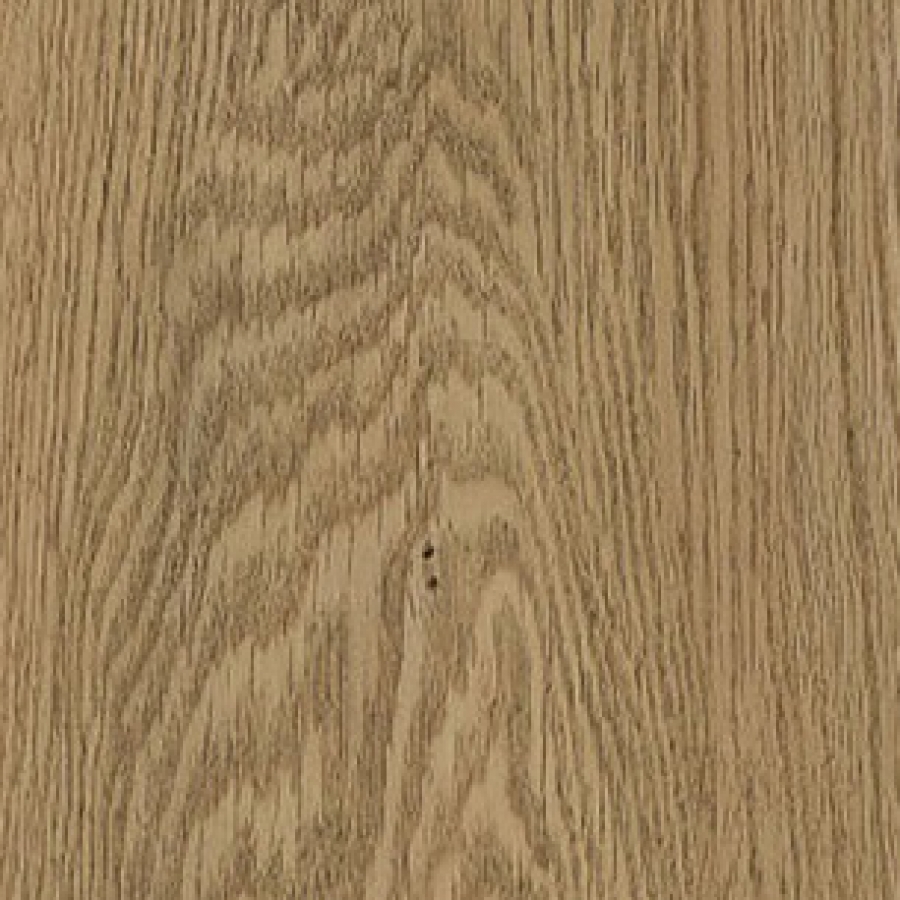
- Артикул 9201TRADITIONAL OAK
- Толщина материала 2 мм
- Размер планок 152.4 мм X 914.4 мм
- Количество в упаковке 3,34 м2 (24 шт.)
Дополнительная информация
- Bevelled edges: Да
Опубликовано в
Wood

Последнее от Super User
24593 комментарии
-
Комментировать
 Пятница, 30 Август 2024 12:12
написал
SOCiALconNeXt.PeRhUMAS.Or.Id
Пятница, 30 Август 2024 12:12
написал
SOCiALconNeXt.PeRhUMAS.Or.Id
It's hard to come by well-informed people about this subject,
however, you seem like you know what you're talking about!
Thanks https://socialconnext.Perhumas.or.id/article/361902/service-rapide-de-reparation-de-moustiquaire-sur-place/ -
Комментировать
 Пятница, 30 Август 2024 12:02
написал
krolik78.ru
Пятница, 30 Август 2024 12:02
написал
krolik78.ru
Качественные дженерики с доставкой https://krolik78.ru/ по СПБ
и области в день заказа.Дженерики для повышения потенции в наличии в Санкт-Петербурге -
Комментировать
 Среда, 28 Август 2024 07:26
написал
nanobookmarking.Com
Среда, 28 Август 2024 07:26
написал
nanobookmarking.Com
Excellent way of describing, and good paragraph to take information regarding my presentation focus, which
i am going to convey in college. https://nanobookmarking.com/story17766616/%C3%89cole-esth%C3%A9tique -
Комментировать
 Среда, 28 Август 2024 06:04
написал
Ремонт смартфонов
Среда, 28 Август 2024 06:04
написал
Ремонт смартфонов
Профессиональный сервисный центр по ремонту сотовых телефонов, смартфонов и мобильных устройств.
Мы предлагаем: ремонт телефонов москва
Наши мастера оперативно устранят неисправности вашего устройства в сервисе или с выездом на дом! -
Комментировать
 Среда, 28 Август 2024 04:33
написал
ShanNam
Среда, 28 Август 2024 04:33
написал
ShanNam
hollywood casino free slot play online The chief aim of a website providing a no deposit bonus is to lure you to the website and with the hope to impress you so that you opt to fund your wallet and receive the standard first deposit welcome bonus. Truth be told, no deposit sign-up offers offer an excellent opportunity to test the site without risking any money, but the possibility of walking away with a big jackpot is actually pretty low. This is mainly due to the extensive conditions and regulations and the wagering contribution that must be satisfied before you can withdraw actual money. For this reason, while they provide a decent way to check out a website without spending any cash, they could not be the best sites to enjoy games.
-
Комментировать
 Понедельник, 26 Август 2024 21:53
написал
Activerefresh6l
Понедельник, 26 Август 2024 21:53
написал
Activerefresh6l
What is an RSS subscription and why do you need it?
Have you ever thought how to simply and immediately get all the updates from your preferred websites without browsing each one manually? This is where an RSS channel comes to the rescue. It’s a unique data format that allows you to download new articles, posts, news, and other content in a organized form directly to your gadget. For more information: check at the link Activerefresh . Imagine having one feed where all the important content from your favorite sources is gathered. Sounds great, right?
How does it work?
RSS (Really Simple Syndication) is a tool that allows you to autonomously receive updates from websites and blogs that you check. RSS feeds work like a distinct subscription. You subscribe to interesting content and get it directly into your program for reading RSS feeds – also known as an RSS aggregator.
What programs do you need to view RSS feeds?
To start leveraging RSS feeds, you need to choose and install an RSS reader. Here are a few popular options:
Feedly – one of the most popular RSS readers with a intuitive interface and support for various devices. It allows you to easily set up your subscriptions.
Inoreader – another advanced tool for reading RSS feeds, offering many features for experienced users, such as sorting and categorization.
The Old Reader – a reader that is like the old version of Google Reader. It’s suited for those who like clarity and minimalism.
Netvibes – this platform provides you to create a personalized homepage with RSS streams, widgets, and other modules.
Additionally, there are mobile apps for reading RSS feeds, such as Reeder for iOS or gReader for Android.
How to set up an RSS feed?
Setting up an RSS feed is easy:
Choose an RSS reader that fits your needs in terms of features.
Add feeds: find the RSS symbol on the website (it’s usually an orange icon with white waves), click on it, copy the URL, and paste it into your reader.
Organize feeds: divide them into groups to easily find the content you need.
Set up notifications: if you want to immediately know about recent posts, set up notifications or synchronization.
Why do you need this?
RSS feeds let you stay up-to-date with all the events without wasting time on tedious website visits. You’ll always know what’s happening on your important blogs, news portals, and other resources.
If you’re interested and want to learn more about how to effectively set up an RSS feed, follow this link - https://ru-board.club/computers/soft/17644.html. There you will uncover comprehensive instructions and tips to help you become a proficient master of RSS! -
Комментировать
 Понедельник, 26 Август 2024 19:02
написал
Activerefresh7p
Понедельник, 26 Август 2024 19:02
написал
Activerefresh7p
What is an RSS stream and why do you need it?
Have you ever thought how to conveniently and immediately get all the updates from your important websites without checking each one manually? This is where an RSS feed comes to the rescue. It’s a convenient data format that allows you to get current articles, posts, news, and other content in a structured form directly to your computer. For more information: check at the link Activerefresh . Imagine having one feed where all the important content from your preferred sources is gathered. Sounds great, right?
How does it work?
RSS (Really Simple Syndication) is a technology that allows you to autonomously receive updates from websites and blogs that you check. RSS feeds work like a unique subscription. You subscribe to desired content and get it directly into your program for reading RSS feeds – also known as an RSS program.
What programs do you need to view RSS feeds?
To start working with RSS feeds, you need to choose and install an RSS program. Here are a few well-known options:
Feedly – one of the most reliable RSS readers with a easy-to-use interface and support for all devices. It allows you to simply manage your subscriptions.
Inoreader – another advanced tool for reading RSS feeds, offering varied features for experienced users, such as categories and tagging.
The Old Reader – a reader that is similar to the old version of Google Reader. It’s designed for those who appreciate minimalism and modesty.
Netvibes – this platform allows you to create a personalized homepage with RSS feeds, widgets, and other modules.
Additionally, there are mobile apps for reading RSS feeds, such as Reeder for iOS or gReader for Android.
How to set up an RSS feed?
Setting up an RSS feed is straightforward:
Choose an RSS reader that matches your needs in terms of interface.
Add feeds: find the RSS button on the website (it’s usually an orange icon with white waves), click on it, copy the URL, and paste it into your reader.
Organize feeds: divide them into topics to easily find the content you need.
Set up notifications: if you want to instantly know about fresh posts, set up notifications or auto-refresh.
Why do you need this?
RSS feeds help you stay up-to-date with all the events without spending time on endless website visits. You’ll always know what’s been posted on your preferred blogs, news portals, and other resources.
If you’re intrigued and want to learn more about how to efficiently set up an RSS feed, follow this link - https://www.idnes.cz/technet/software/zajimave-programy-a-utilitky-ke-stazeni-zdarma-prehled-rss-ctecek.A040726_5265455_software. There you will discover detailed instructions and tips to help you become a skilled master of RSS! -
Комментировать
 Понедельник, 26 Август 2024 10:06
написал
https://www.vancouverrowingclub.wiki/index.php/User:LeandraBosisto3
Понедельник, 26 Август 2024 10:06
написал
https://www.vancouverrowingclub.wiki/index.php/User:LeandraBosisto3
Now I am going to do my breakfast, later than having my breakfast coming over again to
read further news. https://www.vancouverrowingclub.wiki/index.php/User:LeandraBosisto3 -
Комментировать
 Воскресенье, 25 Август 2024 23:30
написал
Activerefreshvj
Воскресенье, 25 Август 2024 23:30
написал
Activerefreshvj
What is an RSS stream and why do you need it?
Have you ever considered how to quickly and instantly get all the updates from your preferred websites without opening each one manually? This is where an RSS stream comes to the rescue. It’s a special data format that allows you to receive fresh articles, posts, news, and other content in a structured form directly to your computer. For more information: check on the website Activerefresh . Imagine having one feed where all the important content from your favorite sources is gathered. Sounds awesome, right?
How does it work?
RSS (Really Simple Syndication) is a technology that allows you to independently receive updates from websites and blogs that you browse. RSS feeds work like a sort of subscription. You subscribe to interesting content and get it directly into your program for reading RSS feeds – also known as an RSS aggregator.
What programs do you need to view RSS feeds?
To start leveraging RSS feeds, you need to choose and install an RSS program. Here are a few well-known options:
Feedly – one of the most well-known RSS readers with a friendly interface and support for all devices. It allows you to conveniently work with your subscriptions.
Inoreader – another powerful tool for reading RSS feeds, offering many features for deep users, such as categories and structuring.
The Old Reader – a reader that is like the old version of Google Reader. It’s perfect for those who appreciate minimalism and modesty.
Netvibes – this platform enables you to create a personalized homepage with RSS channels, widgets, and other modules.
Additionally, there are smartphone apps for reading RSS feeds, such as Reeder for iOS or gReader for Android.
How to set up an RSS feed?
Setting up an RSS feed is straightforward:
Choose an RSS reader that matches your needs in terms of interface.
Add feeds: find the RSS button on the website (it’s usually an orange icon with white waves), click on it, copy the URL, and paste it into your reader.
Organize feeds: divide them into groups to conveniently find the content you need.
Set up notifications: if you want to promptly know about recent posts, set up notifications or auto-check.
Why do you need this?
RSS feeds allow you stay up-to-date with all the events without spending time on tedious website visits. You’ll always know what’s been posted on your preferred blogs, news portals, and other resources.
If you’re intrigued and want to learn more about how to efficiently set up an RSS feed, follow this link - https://www.freelists.org/post/accessindia/AI-Content-tracking-tools. There you will find detailed instructions and tips to help you become a true master of RSS! -
Комментировать
 Воскресенье, 25 Август 2024 15:34
написал
jesus tattoos on cross
Воскресенье, 25 Август 2024 15:34
написал
jesus tattoos on cross
The time zone is CST, or Central Normal Time, In New Orleans.


